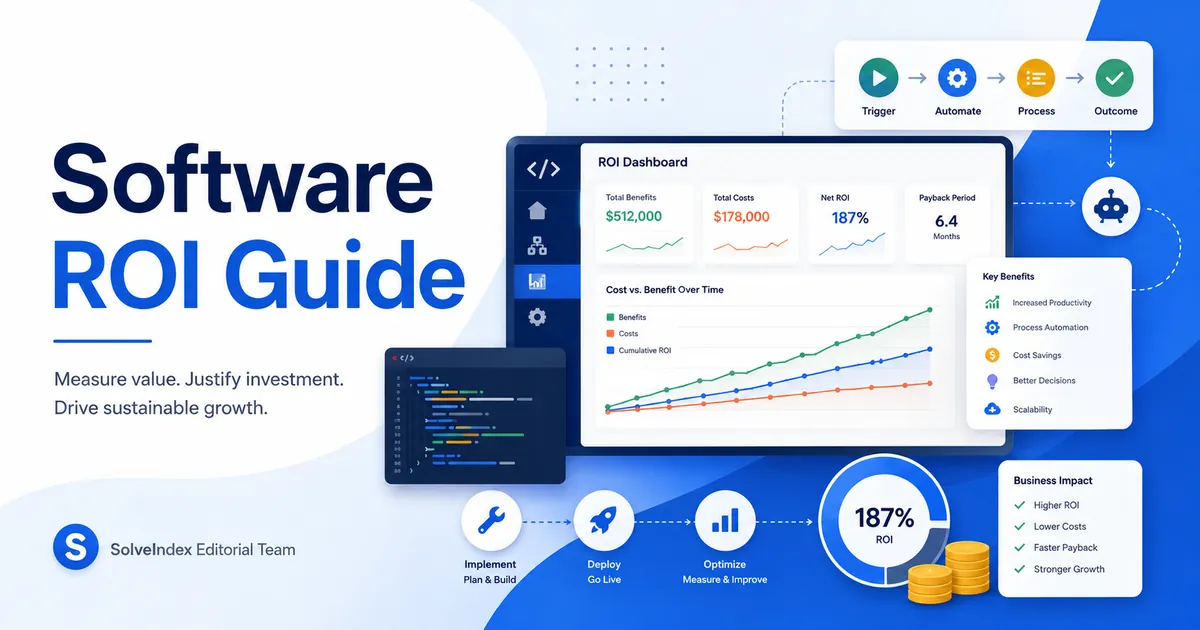
A software investment can create value by reducing manual work, increasing operating capacity, improving customer service, lowering errors, enabling revenue, or replacing expensive systems. A credible business case must compare those benefits with the complete cost of purchasing, developing, implementing, operating, securing, supporting, and eventually replacing the software.
This guide explains how to calculate software ROI for custom development, workflow automation, internal tools, IT systems, and purchased business software. It also explains why saved employee hours are not automatically cash savings, why enabled revenue may overstate value, and how implementation delays can change the real payback period.
How to Calculate Software ROI Using Cost, Benefits and Payback
The calculator combines the one-time development or purchase cost with annual licenses and monthly maintenance over the selected analysis period. It then estimates labor productivity value from employee hours saved and adds any annual revenue benefit entered.
The results include total software investment, labor productivity value, total estimated benefits, net benefit, ROI, and a simplified payback period. These results are planning estimates based on constant costs and benefits rather than a complete project cash-flow model.
Software ROI Worked Example
Consider workflow automation with a $50,000 implementation cost, $3,600 in annual licenses and $500 in monthly maintenance. If the software saves 80 hours per month at a loaded value of $55 per hour and enables $25,000 in annual contribution profit over three years, total modeled benefits are $233,400 and total investment is $78,800.
Net benefit is $154,600 and software ROI is approximately 196.2%. The simplified initial-cost payback is approximately 8.8 months when recurring costs and modeled monthly benefits are treated as constant. A real implementation may pay back later when rollout, training and adoption delay the benefit stream.
Automation ROI Calculator Use Cases
Automation ROI is calculated with the same net-benefit formula, but the benefit estimate should be built from transaction volume, time saved per task, adoption, exception rates and ongoing monitoring. This approach can support accounts-payable automation, robotic process automation, test automation, translation workflows, maintenance systems, time-and-attendance tools and other repetitive processes.
Do not assume that every automated transaction removes the full manual cost. Some cases still require review, exception handling, quality control, maintenance or human approval. Include those continuing costs before comparing automation options.
IT Project ROI and Software Business Case
An IT project business case should compare several realistic options, including the current process, an existing-platform extension, purchased software, custom development and delaying the investment. Evaluate each option over the same useful life and include delivery risk, implementation schedule, operating cost, security, support and measurable benefits.
ROI is one decision metric rather than the complete business case. Large or timing-sensitive projects may also require discounted cash flow, net present value, affordability analysis, risk analysis and a plan for measuring realized benefits after deployment.
Begin With a Measured Current-State Baseline
A software benefit can only be measured reliably when the existing process is documented first. Record current employee hours, processing time, transaction volume, errors, support cases, delays, contractor expenses, system downtime, revenue loss, and other relevant operating results before implementation.
The baseline should describe what is likely to happen without the proposed software. This may be continued manual work, growth in staff, renewal of an existing system, an alternative tool, outsourcing, or postponing the project. Comparing the new software only with a zero-cost scenario can make the investment appear artificially attractive.
Define the Decision Before Calculating ROI
A business case should define the problem, affected users, expected operating change, required capabilities, implementation scope, and decision deadline. It should also explain which realistic alternatives are being compared.
Possible alternatives may include custom development, purchased software, extending an existing platform, improving the manual process, outsourcing the activity, or taking no immediate action. Use the same reporting period, user volume, service requirements, and benefit definitions for every option.
Include All One-Time Software Implementation Costs
The one-time cost field should include more than the purchase invoice or developer contract. A complete implementation estimate may include discovery, requirements, design, configuration, development, integration, testing, data preparation, migration, training, project management, legal review, security review, and deployment.
Internal staff time should also be included when employees participate in planning, testing, meetings, data cleanup, training, process design, or rollout support. These hours may not create a separate vendor bill, but they still consume organizational capacity.
Calculate Software Total Cost of Ownership (TCO)
Software ownership continues after launch. Recurring costs can include licenses, subscriptions, hosting, cloud usage, databases, storage, support, maintenance, monitoring, backups, security services, integrations, vendor services, and internal administration.
Costs may grow with user seats, usage, transactions, data volume, environments, support level, integrations, or geographic expansion. Model expected growth rather than assuming the first-year subscription remains unchanged throughout the entire useful life.
Choose an Appropriate Software Analysis Period
The projection period should reflect the expected useful life of the software, contract length, technology replacement cycle, and confidence in future estimates. A short period may exclude later benefits, while a long period can make uncertain benefits appear more reliable than they are.
Run the calculation across more than one period when the decision is sensitive to useful life. Compare the result if the system is replaced earlier, the vendor contract changes, maintenance rises, or expected benefits decline over time.
Measure Employee Hours Saved Carefully
Estimate time savings using a specific process rather than a broad percentage improvement. Record the number of tasks completed, time per task before implementation, expected time after implementation, number of affected employees, and expected adoption rate.
Validate the estimate with employee interviews, workflow observation, system logs, time studies, ticket data, or pilot results. A small time reduction may create substantial value at high transaction volume, but only when the improvement is repeatable and actually used.
Saved Time Is Not Automatically a Cash Saving
Recovering employee time creates potential capacity. It becomes a direct cash saving when the organization reduces overtime, contractors, temporary labor, hiring requirements, or another avoidable expense.
Saved hours can still create economic value when employees use the time for additional production, sales, customer support, quality work, or other measurable activity. The business case should explain exactly how the recovered capacity will be used rather than treating every saved hour as automatic profit.
Use an Appropriate Employee Hourly Value
The hourly rate should match the economic cost of the affected work. Depending on the purpose of the analysis, this may be the employee's wage, loaded employment cost, contractor rate, overtime rate, or the cost of hiring additional capacity.
Avoid applying the highest employee rate to all saved hours when the work is performed by different roles. Use separate calculations or a weighted average when managers, specialists, administrators, and contractors have materially different costs.
Use Incremental Profit Instead of Gross Revenue Where Possible
The calculator adds the entered annual revenue gain directly to total benefits. This can overstate value when the additional sales require product, labor, fulfillment, support, payment, commission, or service delivery costs.
For a more conservative estimate, enter gross profit or contribution profit created by the software rather than total revenue. Include only sales that would not reasonably have occurred without the new system.
Quantify Error Reduction and Quality Improvements
Software may reduce duplicate work, data-entry errors, refunds, customer complaints, failed transactions, compliance corrections, support tickets, defects, or rework. These benefits can be included when there is a measurable baseline and a reasonable link to the proposed system.
Keep error reduction separate from labor savings when possible. If correction time is already included in saved employee hours, adding the full avoided rework cost again may double count the same benefit.
Value Risk Reduction Without Treating It as Guaranteed Revenue
Some software investments are intended to reduce security, operational, regulatory, fraud, availability, or data-loss risk. These benefits may be important even when they do not create immediate sales or labor savings.
Risk value should be based on a documented event, estimated probability, expected financial impact, and the amount of exposure the software is expected to reduce. Avoid entering the full maximum loss as an annual guaranteed benefit.
Avoid Double Counting Software Benefits
One operational improvement can affect several metrics. Faster processing may reduce employee hours, increase capacity, improve customer satisfaction, and enable additional revenue. Adding the full estimated value of every effect can overstate the project's return.
Create a benefit register that defines each benefit, its owner, measurement method, baseline, start date, dependencies, and overlap with other benefits. Use the most direct financial effect or apply a conservative allocation where outcomes overlap.
Model User Adoption and Benefit Ramp-Up
Software benefits rarely reach full scale on the first day. Teams may require training, process changes, data migration, integration fixes, management support, and time to replace existing habits.
Estimate eligible users, trained users, active users, feature usage, process completion, and benefit per active user. Apply partial benefits during rollout rather than assuming immediate adoption across the organization.
Include Migration, Integration and Data Quality Work
Data migration can require extraction, cleanup, mapping, testing, reconciliation, archiving, and manual correction. Integration work may include APIs, identity management, data synchronization, reporting, monitoring, and failure handling.
Poor data quality can delay launch and reduce user trust after implementation. Include both the initial preparation cost and any continuing work required to maintain reliable data and integrations.
Include Software Security and Compliance Costs
Security should be included across planning, design, development, testing, deployment, operation, and maintenance. Relevant costs may include secure architecture, access controls, code review, vulnerability testing, monitoring, incident response, backups, privacy review, audit evidence, and supplier assessment.
A low-cost software option may become more expensive when it requires additional controls, custom security work, manual compliance evidence, or remediation after deployment. Include these costs when comparing vendors and custom development.
Build vs Buy Software: Compare Custom Development and Purchased Tools
Purchased software can reduce initial development time and transfer some maintenance responsibility to a vendor. Custom software may offer closer workflow alignment, greater control, or a capability unavailable in existing products. Neither option is automatically cheaper or more valuable.
Compare both options using implementation time, licenses, user growth, customization, integration, security, support, vendor dependency, internal maintenance, upgrade effort, data portability, and replacement cost. Use the SaaS ROI Calculator when subscription pricing and recurring tool value are the main decision factors.
Do Not Use a Fixed Build-vs-Buy Cost Rule
A simple multiple of annual subscription cost does not determine whether custom development is more economical. A custom system requires product management, engineering, testing, infrastructure, security, support, upgrades, documentation, and long-term ownership.
Purchased software may also require implementation, consulting, customization, integration, training, minimum contracts, and increasing per-user charges. Compare the complete life-cycle cost and the value of each option rather than using one headline price.
Understand ROI, Payback and Net Present Value
ROI compares total net benefit with total investment. Payback estimates how long benefits take to recover the initial cost. These measures answer different questions and can produce different rankings between projects.
This calculator does not discount future benefits or costs. For longer, larger, or timing-sensitive projects, a separate cash-flow model can calculate net present value using an appropriate discount rate and the expected timing of each cost and benefit.
Treat the Payback Result as a Simplified Estimate
A simplified payback result can be useful for early comparison, but it may assume benefits begin immediately and remain constant. Actual payback may be later when implementation, training, phased deployment, seasonal demand, support issues, or adoption delays reduce early benefits.
Build a monthly or quarterly schedule for important decisions. Record when implementation payments occur, when recurring fees begin, when users are onboarded, and when each benefit is expected to reach full value.
Run Conservative, Expected and Higher-Performance Scenarios
A single ROI estimate can hide uncertainty. Run multiple scenarios using different one-time costs, recurring expenses, launch dates, adoption levels, hours saved, employee rates, revenue benefits, and useful lives.
Identify which assumptions change the decision most. A project that remains acceptable after moderate cost increases and benefit reductions provides a more resilient business case than one that depends on every optimistic assumption being achieved.
Assign Ownership for Each Software Benefit
Technical delivery does not automatically produce business value. Assign a named owner to each expected benefit, such as labor reduction, increased capacity, error reduction, revenue improvement, or risk reduction.
The benefit owner should confirm the baseline, measurement method, required process changes, expected start date, dependencies, target, reporting frequency, and actions required when performance falls below plan.
Review an Unusually High Software ROI Result
A high ROI may be valid, especially when inexpensive automation removes a large amount of repetitive work. Before accepting the result, check whether all implementation, migration, training, security, infrastructure, support, internal staff, and replacement costs were included.
Also verify that saved hours create measurable value, enabled revenue is incremental, direct delivery costs are considered, benefits are not counted twice, and full adoption is not assumed from the first month.
Review a Negative Software ROI Result
Negative ROI means the entered costs exceeded estimated benefits over the selected period. Review project scope, implementation approach, licensing model, maintenance burden, adoption, user volume, process design, and the expected useful life.
A negative financial result does not automatically mean the project has no value. Some investments may be required for security, compliance, continuity, or replacement of an unsupported system. These reasons should be documented separately rather than hidden inside unsupported revenue or labor assumptions.
Validate the Business Case After Implementation
Recalculate software ROI after launch using actual invoices, staff hours, adoption data, process duration, errors, revenue, support costs, maintenance, and infrastructure usage. Compare the original business case, latest forecast, and realized result.
Post-implementation review helps determine whether the software created the expected value, whether additional process changes are required, and which estimation methods should be improved for future technology investments.
Final Software Investment Review
A defensible software ROI calculation starts with a clear decision and measured current-state baseline. It includes the full cost of implementation and ownership, values employee capacity realistically, uses incremental profit instead of unsupported revenue, and models adoption and delivery risk.
The most useful result is not necessarily the highest percentage. It is the result based on complete costs, traceable assumptions, realistic alternatives, conservative benefit estimates, and a plan for measuring actual value after the software is deployed.
Software Business Case and Cost-Planning References
Current methodology was reviewed against the U.S. GAO Cost Estimating and Assessment Guide, the HM Treasury Green Book 2026, the Digital and Data Benefits framework, and the NIST Secure Software Development Framework. These sources support options appraisal, reliable cost estimates, benefits identification, double-counting controls and secure software life-cycle planning. They do not provide a guaranteed ROI or payback result.